Apps for parent-teacher communication are tools for reaching families quickly, usually with translation and a record of what was sent. Choosing one is less a question of which app is best than of which one you can defend — to your principal, to a parent who asks where their child’s data went, and to yourself in June when you have been using it every day.
Almost every article on this subject is a ranked list. This one is not, for two reasons. Feature lists go stale within months, and the thing that actually decides whether one of these works in a secondary school is not features at all.
It is whether the tool is approved, whether it reaches the families who are hardest to reach, and whether you can keep using it in week thirty.
Key Takeaways
- Start with your district’s approved list. A tool a teacher adopts alone usually has no written agreement behind it, and that is the part that matters legally.
- The privacy picture is genuinely bad. One widely reported figure puts 96 percent of apps regularly used in K–12 schools as having data-sharing practices not adequately safe for children.
- Four categories, four different jobs. Mass notification, two-way messaging, gradebook portals and behaviour-points systems are not competitors — they do different things.
- Behaviour-points apps were built for elementary. Think hard before importing a public points economy into a room of fifteen-year-olds.
- Reach is a hardware question first. If a family has no reliable smartphone, the best app in the world is a way of not contacting them.
- No app fixes a bad ratio. If every message you send is bad news, sending it faster does not help.
Before You Choose: The Privacy Problem Nobody Mentions
This belongs first because it is the part that can land on you personally.
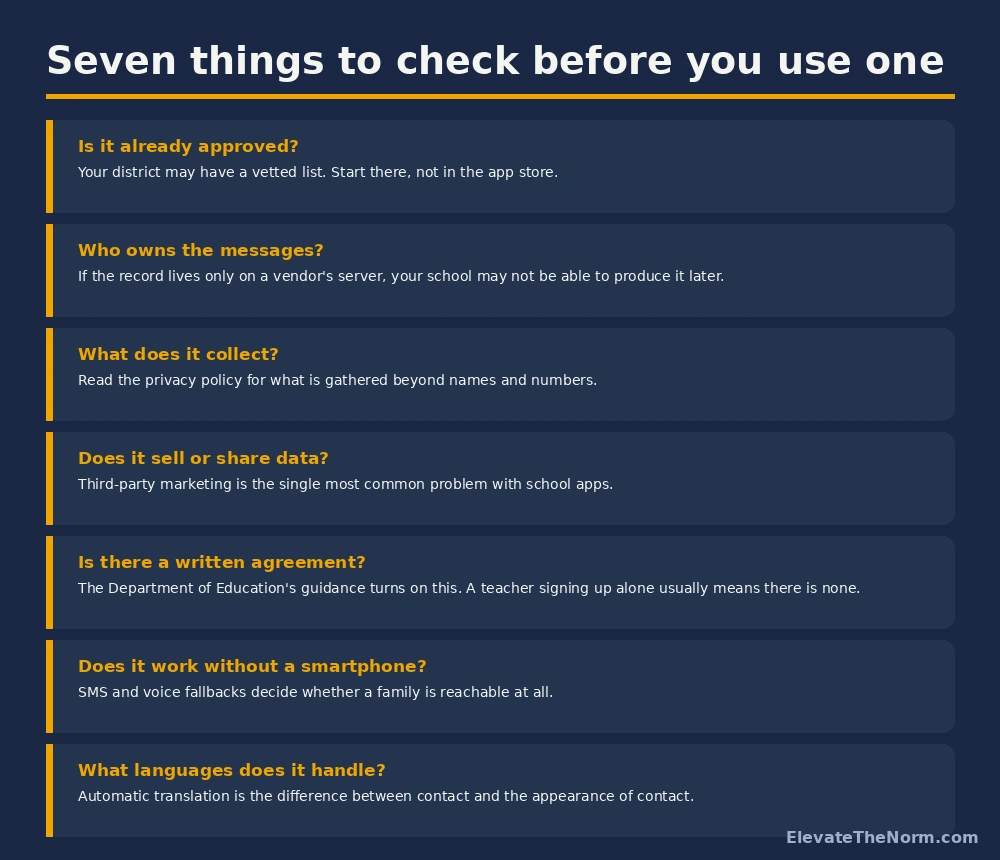
Writing for Edutopia, Roxi Thompson reports a striking figure: 96 percent of apps used regularly in K–12 schools have data-sharing practices that are “not adequately safe for children”, with many sharing personal information with third-party marketers without the school’s knowledge or consent. Thompson is reporting that figure from other research rather than producing it, so treat it as a well-circulated finding rather than one this article has verified at source — but the direction is not seriously disputed.
Her practical advice is the right starting point: use the vetted list your district has already produced, because somebody trained has read the privacy documents. If you are evaluating something yourself, read the terms of service and the privacy policy for what is collected and how it is secured, and check a service like the Common Sense Privacy Program, which rates tools across ten privacy dimensions.
The legal frame sits above that. The US Department of Education’s Student Privacy Policy Office explains that FERPA generally bars sharing personally identifiable student information without consent, with exceptions covering contractors and others performing services for the school — and that written agreements must in many cases be developed to protect student data, with requirements varying by circumstance. The office publishes a written agreement checklist for exactly this.
Read that sentence again with a teacher’s eyes. A written agreement is a thing a district does. It is not a thing that exists when one teacher downloads an app on a Sunday and starts entering student names.
None of this is a reason to avoid these tools. It is a reason to use the ones your school has already cleared, and to ask before adopting one it has not. The tool matters less than the habit behind it — what the randomized trials say about reaching families, and a rotation that survives a full roster, is the part no app solves for you.
Four Kinds of Tool, Doing Four Different Jobs
Most arguments about which app is best are really arguments about which job you are doing. Sort the category first and the shortlist gets very short.
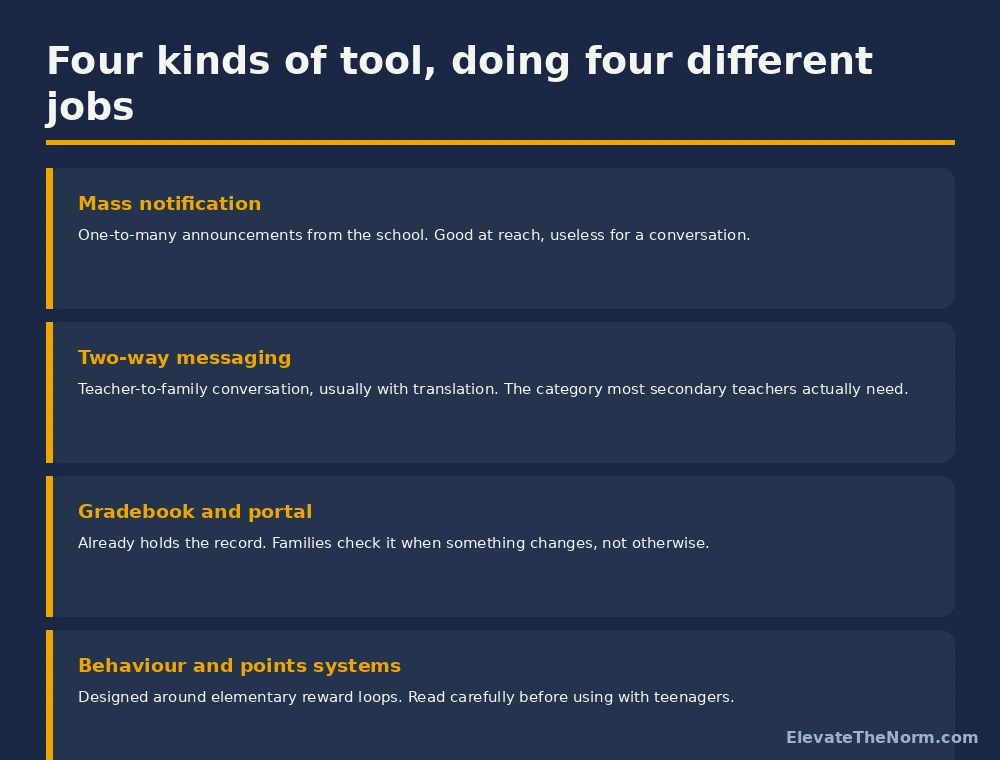
Mass notification platforms push announcements from the school to everybody. They are excellent at reach and terrible at conversation, and they are usually chosen at district level, so you probably do not get a vote.
Two-way messaging is the category most secondary teachers actually need — a way to message one family, get a reply, and have it translated. This is where the meaningful differences between products live.
Gradebook portals already hold the record and already have every family’s login. They are chronically underused as a communication channel because families check them when something changes rather than habitually, which is a notification problem rather than a portal problem.
Behaviour and points systems deserve a specific warning. Most were designed around elementary reward loops, and several make a student’s standing visible to their family in close to real time. A points economy that a nine-year-old finds motivating is something a fifteen-year-old is likely to find humiliating, and a running public score sits awkwardly with firm standards held without shame. Read what the tool actually shows families before you switch it on.
I Have Taught With No Devices, Shared Carts and One-to-One
In my second year, devices arrived as a single cart shared between two classrooms. By my final year at my previous school it was one-to-one, and it is one-to-one again now. I have taught at all three levels of access.
That progression is the reason I am wary of any communication plan that assumes a smartphone on the other end. Writing the channel down in advance, family by family, is what keeps that assumption from going unexamined. Device access is not evenly distributed among students, and it is distributed even less evenly among their families. A teacher who has only ever worked in a one-to-one building can genuinely believe that “I sent it on the app” is the same sentence as “I contacted the family.”
It is not. It is the same sentence as “I did the part that was convenient for me.”
The practical version: whatever app you use, know which families it does not reach, and have a second route for them. Usually that is a phone call, and usually it is three or four families per section. That is an afternoon, once, and it removes the largest blind spot in the whole system. A free Parent Contact Log on TPT makes it easy to see which families you have not reached yet.
What an App Cannot Fix
Worth being blunt, because the marketing for all of these implies otherwise.
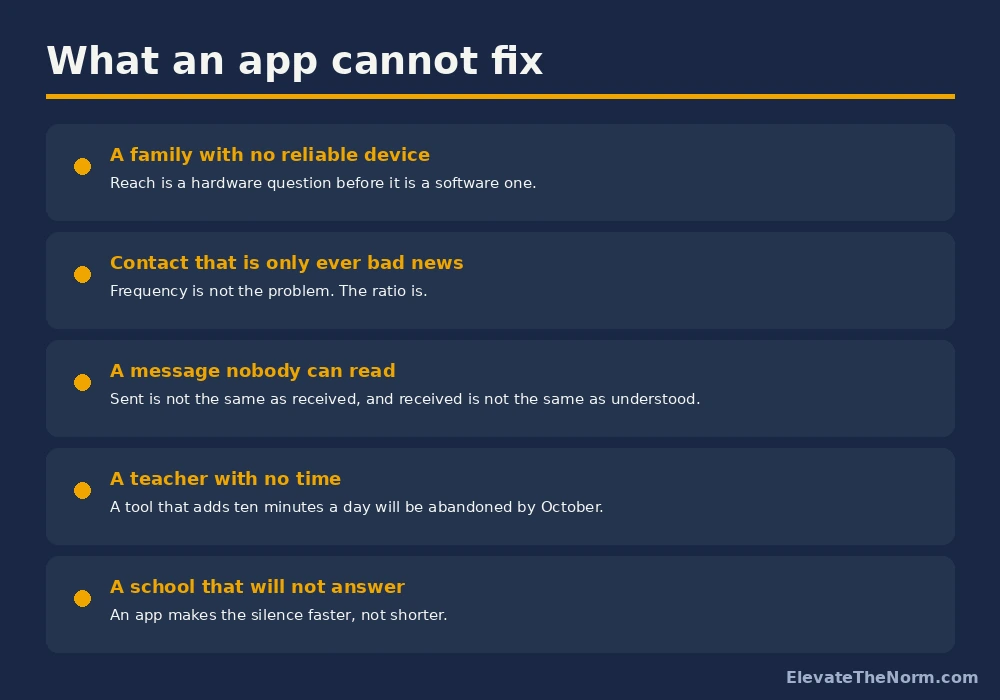
The ratio is the one worth dwelling on. If a family only hears from you when something has gone wrong, the app notification itself becomes a bad-news alert, and people stop opening those. Nothing in the software fixes that — it is a decision about when you make contact, not about how.
The time cost is the second. A tool that adds ten minutes to your day will be quietly abandoned by October, and an abandoned channel that families were told to use is worse than never having offered it. Pick something you will still be using in week thirty.
And translation deserves a flag rather than a tick. Automatic translation is genuinely one of the most valuable features in this category and it is genuinely imperfect. It is fine for a homework reminder. For anything consequential — a behaviour incident, a failing grade, a meeting request — get a human interpreter the way your school does for any other serious conversation.
How to Choose One in About Twenty Minutes
- Ask what is already approved. One email to whoever handles technology in your building. If something is on the list, your decision is made and the agreement exists.
- Name the job. Announcements, conversation, grades, or behaviour. Pick one — a tool that claims all four usually does two of them badly.
- Check the fallbacks. Does it reach a family by SMS or voice when there is no app installed? This single question eliminates several popular options for a lot of schools.
- Check the languages against the languages actually spoken by your families, not the marketing list.
- Read what families see. Log in as a parent if you can. Some tools show far more than teachers realise, and some show it in real time.
- Decide who owns the record. If a dispute arises in March, can your school produce what was sent? If the answer is “the vendor has it,” raise that before you start, not after.
If nothing is approved and you need something now, the lowest-risk option is usually the tool your district already pays for — the gradebook portal — plus a phone call for the families it does not reach. It is unglamorous and it creates no new data-sharing relationship at all.
Keep the Record Somewhere You Control
Whatever tool you land on, keep your own log of substantive contact — date, family, method, what was discussed, what was agreed. Not every message, just the ones that matter.
Two reasons. The first is practical: you will be asked what you did about a student, sometimes months later, and “I think I messaged them in October” is not an answer. The second is structural: a log that lives with you survives a vendor change, a contract expiry, or a platform your district drops over the summer.
A printable version is on the free parent-teacher communication log page, no email required. Paper is genuinely fine for this. The point is that the record is yours.
What to Do Next
Send the email asking what is approved in your building. While you wait, work out which families in your hardest section you could not reach today if you had to, and how you would reach them instead. That list is short, and it is the most useful thing in this article.
Then make the first contact of the year a good one, before anything has gone wrong. Every app in every category works better when the notification is not automatically bad news, and that is a choice you make rather than a feature you buy.
The app gets you to the family. What you say when you get there is the harder question. The evidence on frequency, message content, and what the research actually found — including two randomized trials with effect sizes a secondary teacher can use — is covered in the companion guide to reaching families in grades 6 through 12. For the once-a-term meeting itself, handing the talking over to the student instead of talking about them changes what a family walks out with.
Product landscapes in this category change quickly. This page describes how to evaluate a tool rather than ranking specific products, so it should stay useful longer than a feature comparison would. Privacy and legal guidance linked here was checked on September 12, 2026.
Frequently Asked Questions
Can I just download an app and start using it with my class?
Usually you should not, and in many districts you are not permitted to. FERPA allows schools to share student information with contractors performing services for them, but the Department of Education’s guidance is clear that written agreements are often required to protect that data. A written agreement is something a district puts in place — it does not exist because an individual teacher accepted a terms-of-service box. Ask what is already approved first; it is one email and it moves the responsibility to where it belongs.
Which parent-teacher communication app is best?
There is no single answer, and any article that gives you one is either out of date or selling something. The right tool depends on which job you need done — mass announcements, two-way conversation, grades, or behaviour — and on what your district has already cleared. Sort the category and check the approved list, and the shortlist usually comes down to one or two options you can actually use.
What about families who do not have a smartphone?
Plan for them explicitly, because they exist in every school and they are frequently the families you most need to reach. Check whether your tool falls back to SMS or a voice call when no app is installed — several do, and it is one of the more meaningful differences between products. Then identify the handful of families in each section it still will not reach and use the phone. It is usually three or four per class, which is an afternoon once.
Is automatic translation good enough?
For routine messages, generally yes, and it is one of the genuinely valuable features in this category. For anything consequential — a behaviour incident, a failing grade, a meeting about placement — use a human interpreter, the same way your school would for any other serious conversation. Machine translation errors in a routine reminder are an inconvenience; the same error in a disciplinary message is a real problem.
Should I use a behaviour points app with high school students?
Be careful. Most of these were designed around elementary reward loops, and several display a running score to families in close to real time. What a nine-year-old experiences as a game a fifteen-year-old may experience as a public verdict delivered to their parents. If you are considering one, log in as a parent first and look at exactly what is visible and how quickly. There are secondary classrooms where these work; there are more where they quietly damage the relationship you were trying to build.
How often should I be messaging families?
The ratio matters more than the frequency. If the only time a family hears from you is when something has gone wrong, they learn to dread the notification and eventually stop opening it. Making the first contact of the year a positive or simply neutral one costs a few minutes per family and changes how every later message is received. No app feature substitutes for that decision.
Do I still need a paper log if the app keeps a record?
Keep your own record of substantive contact, yes. Not every message — the ones that matter. Vendor records can become hard to retrieve, districts change platforms, and contracts end. A short log of date, family, method, what was discussed and what was agreed takes seconds to maintain and answers the question you will eventually be asked months later.
Sources
- U.S. Department of Education, Student Privacy Policy Office. Privacy and data sharing. Read the guidance — the source for the FERPA contractor exception and the requirement for written agreements, and the home of the Written Agreement Checklist.
- Thompson, R. (2023, March 15). Protecting student data privacy. Edutopia. Read the article — the source for the 96 percent figure, which Thompson reports from other research rather than producing, and for the recommendation to use district-vetted lists and the Common Sense Privacy Program.
Every link above was checked on September 12, 2026. This page deliberately does not rank named products, because feature and pricing claims in this category go out of date faster than an article can be maintained honestly.