By Clay Shumate
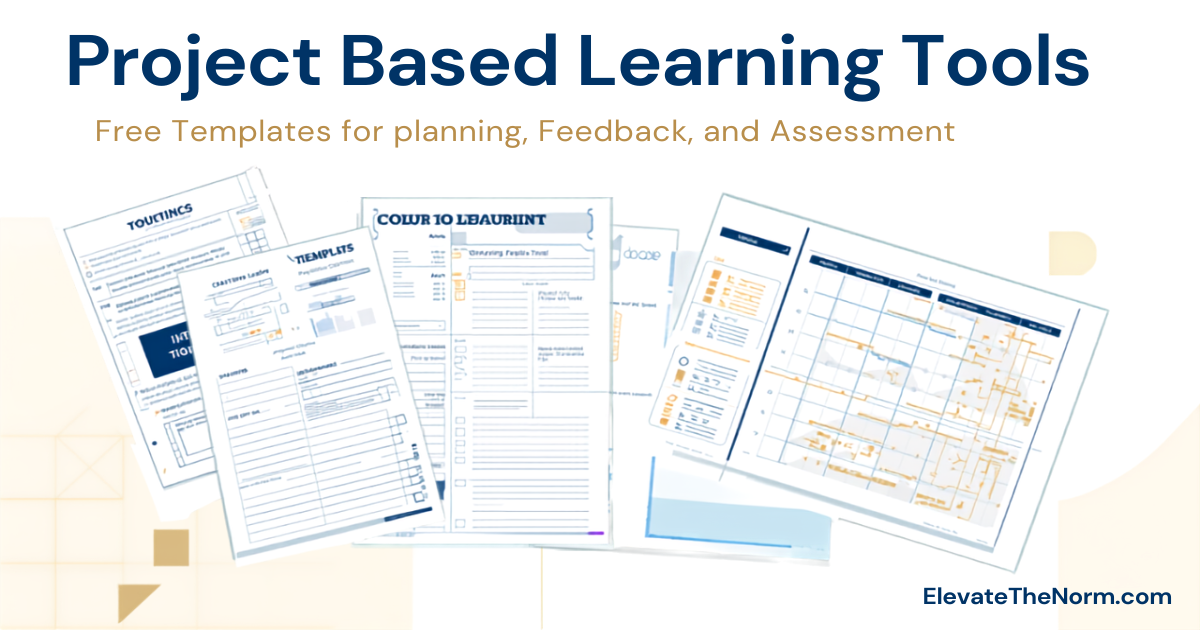
Project based learning tools are the planning templates, feedback protocols, and assessment forms that give teachers and students a shared system for managing complex, multi-week work. Without them, a PBL project is ambition without infrastructure. With them, students know what they are doing each day, teachers can coach rather than rescue, and the final product reflects actual learning instead of organized chaos.
Key Takeaways
- Planning tools—driving question templates, project calendars, and Know/Need to Know charts—keep projects from drifting before they start
- Group coordination tools like team contracts and role cards shift accountability from the teacher to the students where it belongs
- Feedback and critique protocols help students improve their work before the final product, not just after it is graded
- Free digital tools including Google Workspace, Padlet, and PBLWorks educator resources cover most of what a classroom needs without a budget
- The best PBL programs run on five or six well-understood tools, not twenty barely-understood ones
Why PBL Needs Its Own Toolkit
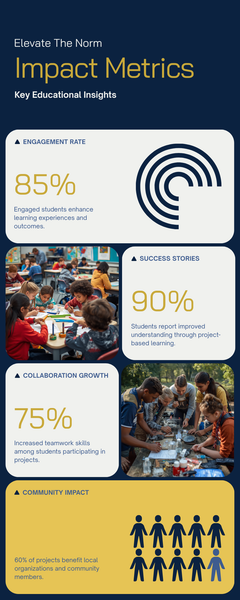
A standard assignment can run on a rubric and a due date. A project spanning three weeks—with multiple checkpoints, group coordination, research, revision, and a public product—cannot. Project based learning tools are not busy work. They solve real problems: drift, inequitable group work, surface-level feedback, and final assessments that miss what students actually learned.
The Buck Institute for Education (now PBLWorks), which has studied project-based learning for over three decades, identifies planning, collaboration, and formative assessment as three essential supports for successful PBL implementation (Larmer, Mergendoller, & Boss, 2015). Tools are how those supports become visible inside a classroom where a teacher has twenty-eight students, five periods, and a bell that rings every fifty minutes.
This guide covers the most useful tools in each category and points to the best free resources for getting them. For context on what strong PBL actually looks like, the definition of project based learning article explains the essential elements that separate genuine PBL from a decorated assignment.
Planning Tools: Before the Project Starts
The Driving Question Template
A weak driving question makes students shrug. A strong one makes them argue and investigate. The difference is almost always structure. A strong driving question is open-ended, connects to a real issue or audience, and does not have a Googleable answer.
Use this draft formula to build one: How should [person or group] [action] in order to [goal or value]?
For example: How should our city council design a park renovation so that it serves both older adults and teenagers who share that space? This forces students to consider competing interests, use subject-area knowledge, and produce something—a recommendation, a proposal, a plan—rather than just a report.
For a full breakdown of strong versus weak driving questions across multiple subjects, see project based learning driving question examples.
Project Calendar
A calendar does two things most teachers underestimate: it shows students how much time they actually have, and it forces the teacher to sequence direct instruction alongside inquiry. A usable PBL calendar has daily or weekly columns, labeled checkpoints, deadlines for specific deliverables (not just one big due date at the end), and built-in days for critique and revision. PBLWorks provides free downloadable planning calendars for teachers at pblworks.org/resources.
Know/Need to Know Chart
After launching a project—typically with an entry event that makes the problem feel real—students complete a Know/Need to Know chart. On one side: what they already know. On the other: what they need to find out. This chart does not stay static. It grows as students learn and discover new questions.
The KNTK serves two purposes. It gives students a research direction and gives teachers a formative snapshot of background knowledge and misconceptions—without a quiz. John Hattie’s synthesis of educational research identifies formative assessment as one of the highest-impact practices in education (Hattie, 2009). The KNTK is one of the simplest formative tools that costs nothing and takes ten minutes.
Group Coordination Tools: While the Work Is Happening
Team Contract
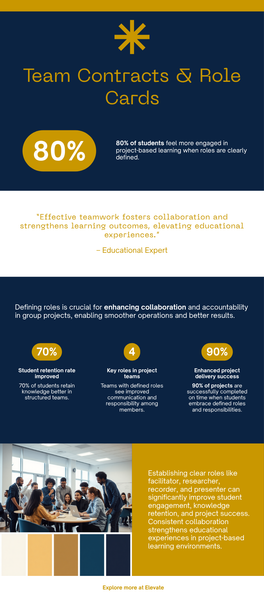
Group work fails when accountability is vague. A team contract makes it specific. A good one covers: each member’s role, what happens when someone does not complete their work, how decisions get made, and how the group will handle disagreements before they escalate to the teacher.
It is not a behavioral management trick. It is a professional practice. Legal teams, software developers, and nonprofit boards all use agreements that define responsibility before problems start. Asking students to do the same is not asking too much—it is asking something real. See the 7 steps of project based learning for where the team contract fits in the full project sequence.
Role Cards
Rather than leaving students to decide who does what—which usually means one person does everything—role cards assign rotating responsibilities. Common roles include: Project Manager (keeps the group on schedule and tracks deliverables), Lead Researcher (coordinates inquiry and source evaluation), Editor/Quality Control (reviews for accuracy and coherence), and Presenter Coordinator (organizes the final product and prepares the group). Roles rotate each project so every student practices every skill. Be honest with yourself about which of those cards is doing real work, though—a 36-study review found no evidence that naming roles improves outcomes on its own, so it is worth reading what actually makes a group role earn its place before you print a set.
Daily Stand-Up Log
Borrowed from software development, a stand-up is a brief daily check-in with three questions: What did you accomplish? What will you do next? What is blocking your progress? Students fill this in at the start of work time. The teacher scans the logs in three minutes and knows exactly who is stuck without running to every group. Students learn to diagnose their own progress rather than waiting for the teacher to notice a problem.
Research and Inquiry Tools
Source Evaluation Checklist
The standard “is it credible?” instruction is not enough. Students need specific criteria they can apply independently: Who is the author? What organization published this? When was it last updated? Does it cite evidence? Is the purpose to inform, persuade, or sell? This checklist works for websites, journal articles, primary sources, and news coverage.
Research Notes Organizer
A research notes organizer gives students one place to record sources, quotations, and their own interpretations. Without it, students either plagiarize because they cannot separate their notes from the source, or they lose track of where information came from. A four-column table works for most subjects: Source | Key Information | My Interpretation | Questions It Raises.
Feedback and Critique Tools
Peer Critique Protocol: Warm and Cool Feedback
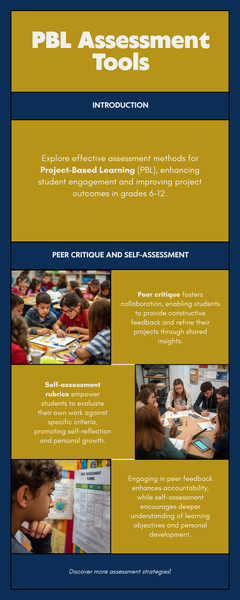
Developed and refined by educator Ron Berger and the EL Education network, warm and cool feedback is one of the most practical classroom critique tools available (Berger, Rugen, & Woodfin, 2014). Warm feedback names specifically what is working and why. Cool feedback identifies something to strengthen, phrased as a question or suggestion rather than a judgment.
The distinction matters. “This is good” is not warm feedback. “The evidence you used in paragraph two directly supports your claim—and the contrast you drew with the counter-example is convincing” is warm feedback. “Your conclusion repeats the introduction rather than moving forward—what’s the next step you want the reader to take?” is cool feedback. This structure keeps critique from becoming personal and keeps attention on the work, not the person who made it.
Gallery Walk with Sticky Notes
Students post their work-in-progress on walls or tables. Classmates rotate through and leave sticky notes: one warm, one cool. This gives every student feedback from multiple peers without the teacher orchestrating every exchange. It works best mid-project—after a first draft exists but with enough time remaining to act on what they hear.
Revision Tracker
A simple document with three columns: Feedback Received → Change Made → Reason for the Change. Students maintain this alongside their work. It prevents revision from being cosmetic—fixing a typo and calling it done—and shows teachers whether students are actually responding to critique or going through the motions. It also gives students a record of how their thinking developed over the course of the project.
Assessment Tools
PBL Rubric
Assessment in project-based learning has to measure the right things. A rubric that only scores the final product misses the inquiry, the revision, the collaboration, and the communication that make PBL valuable. A well-built PBL rubric includes separate rows for content knowledge demonstrated, quality of evidence, revision process, collaboration (assessed individually, not as a group score that hides individual gaps), and communication clarity.
For a free editable template built specifically for grades 6–12, see the rubric for project based learning.
Self-Assessment Form
Before every checkpoint and after every project, students complete a brief self-assessment: What was my strongest contribution? Where did I fall short? What would I do differently? What did I learn? This is not extra busywork. It is the metacognitive habit that makes future projects better. A student who cannot answer “what did I actually learn?” has not finished the project—they have finished the assignment.
Exhibition Checklist
When students present to an authentic audience, an exhibition checklist covers: Does the product show evidence-based reasoning? Is the presentation clear to someone unfamiliar with the topic? Did the team handle questions directly and honestly? Does it meet the criteria the project set out to address? This checklist can be used by the presenting team for self-assessment and by the audience for structured feedback during the presentation.
Free Digital Tools Worth Using
Many of the most effective project based learning tools are printable and free. A few digital platforms extend them without creating new management problems.
Google Workspace (free for schools): Google Docs for shared writing and revision history, Google Slides for presentations, Google Forms for self-assessment and checkpoint surveys, Google Drive for organizing project files. Widely available and familiar to most students before they arrive.
Padlet (free tier available): A shared digital board for gallery walks, Know/Need to Know charts, and collaborative brainstorming. Works on any device with a browser. Students can post text, images, and links—and see what their classmates are contributing in real time.
Canva for Education (free): Students create posters, infographics, reports, and presentations without graphic design experience. The free version for education has enough templates to cover most public-product deliverables.
PBLWorks Educator Resources (free with registration): PBLWorks, the organization founded by the Buck Institute for Education, provides free planning templates, rubrics, and project examples at pblworks.org/resources. Their Gold Standard PBL framework is the most research-grounded planning reference currently available for classroom teachers.
What Makes a Tool Worth Using
A tool earns its place in a classroom when it reduces teacher-student friction, increases student clarity, and produces better work. Apply this test before adding any new form or protocol: what specific problem does this solve, and how will I know if it is working?
The best PBL programs run on five or six tools that teachers and students both understand well. Adding more does not produce more learning—it produces more confusion. Krajcik and Shin (2014) note that effective project-based learning requires sustained student inquiry, which cannot happen when students are spending cognitive energy managing unfamiliar templates. The tools should fade into the background and let the thinking come forward.
For broader classroom resources alongside these tools, the project based learning resources article covers free external tools, credible research references, and original ElevateTheNorm.com downloads in one place.
What to Do Next
Start with three: a driving question template, a team contract, and a peer critique protocol. Use them consistently for one full project. After the project ends, ask students which tools helped and which felt like extra work without a payoff. Revise based on their honest answers. The tools should be improving student work—if they are not doing that, something needs to change.
For the sequence that holds these tools together, the 7 steps of project based learning shows where each tool fits from driving question through final reflection.
Teachers are not the only ones researching this. Parents, administrators and students now put the same questions to an AI assistant before they ever ask a person, and the answers they get are often written from a vendor’s marketing page. The questions people are asking AI about project-based learning collects the twenty-five that come up most — platforms, cost, curriculum fit — and answers them from a classroom instead. Most of it assumes a secondary timetable; the high-school constraints specifically get their own treatment.
Frequently Asked Questions
What is the most important project based learning tool to start with?
Start with the driving question template. Everything else in a PBL project depends on having a strong driving question. A weak question produces vague research, unclear products, and students who cannot explain why any of it matters. Once teachers can write strong driving questions reliably, the rest of the tools start making more sense because students understand what they are working toward.
Do project based learning tools work without classroom technology?
Yes. The most effective PBL tools are printable or can be run with a whiteboard and sticky notes. The team contract, peer critique protocol, Know/Need to Know chart, role cards, and self-assessment form all work without a device. Technology expands options for collaboration and presentation, but it is not a requirement for solid project management.
How do I prevent one student from doing all the group’s work?
Use role cards with rotating assignments and assess students individually inside a group project. If one student does all the work while others coast, the problem is usually structural—not a character issue. A team contract set up before the project starts, with agreed-upon consequences for not contributing, shifts accountability to the group before the teacher has to intervene. Individual self-assessments and revision trackers also make individual contribution visible.
What is the difference between a PBL rubric and a regular rubric?
A regular rubric typically scores the final product only. A PBL rubric also assesses the process: the quality of inquiry, how students responded to feedback and revised their work, how they collaborated, and how clearly they communicated their thinking. Scoring only the product rewards students who produce polished deliverables through luck or prior advantage. A PBL rubric rewards the kind of thinking and revision the project was designed to build.
At what grade level are these tools appropriate?
The tools in this guide are designed for grades 6–12. Middle school students generally need more structure—clear role cards, a daily stand-up log, and teacher checkpoints every two to three days. High school students can handle more open-ended planning, longer timelines, and self-directed research with less scaffolding. Adjust the level of detail and frequency of checkpoints based on your students’ experience with project work, not just their grade level.
How does a driving question template help students?
A driving question template gives students a structured starting point instead of a blank page. It forces them to identify who is affected by the problem, what action is needed, and why it matters—before they start researching. This clarity shapes the whole project. Students who understand why a question is worth investigating tend to stay more engaged throughout the work than those who were handed a topic without context.
What should self-assessment include in a project based learning project?
A useful self-assessment asks students to name their strongest contribution specifically, identify where their work fell short and why, state one thing they would do differently, and describe what they actually learned. Vague questions produce vague answers. “What did you contribute?” gets a list of tasks. “What was your most important contribution to the final product, and what evidence supports that?” gets honest reflection.
Sources
- PBLWorks. (n.d.). Educator resources: Free templates and rubrics. PBLWorks / Buck Institute for Education.
- Larmer, J., Mergendoller, J. R., & Boss, S. (2015). Setting the standard for project based learning. ASCD.
- Berger, R., Rugen, L., & Woodfin, L. (2014). Leaders of their own learning: Transforming schools through student-engaged assessment. Jossey-Bass.
- Krajcik, J., & Shin, N. (2014). Project-based learning. In R. K. Sawyer (Ed.), The Cambridge handbook of the learning sciences (2nd ed., pp. 275–297). Cambridge University Press.
- Hattie, J. (2009). Visible learning: A synthesis of over 800 meta-analyses relating to achievement. Routledge. (Formative assessment effect size d ≈ 0.90 as summarized.)
About Clay Shumate
Clay Shumate is a certified secondary Social Studies teacher in the public schools of West Alabama, with seven years of classroom experience, a B.A. in History, and an M.Ed. in Secondary Education. He writes about project-based learning, student responsibility, respect, and practical ways to hold young people to a higher standard while giving them room to learn from mistakes. He is a member of the Society of Professional Journalists and writes to its Code of Ethics; this site’s editorial standards and corrections policy are published in full. More about Clay.