Category: Templates & Printables

Free, ready-to-use classroom templates, logs, checklists, and printable packs for grades 6-12 teachers.

  • Free Standards-Based Grading Rubrics and Starter Pack

    Free Standards-Based Grading Rubrics and Starter Pack

    By Clay Shumate

    Standards-based grading rubrics only help if they replace vague labels with evidence a student and family can actually see. This free starter pack gives secondary teachers a restrained way to test the approach without rebuilding a whole course: a four-level proficiency scale (beginning, developing, secure, transfer) with observable student evidence and a matching teacher response at each level, an assessment evidence planner for standards complex enough to need more than one data point, and an implementation-and-reassessment check covering the two moments — launch and reassessment — where standards-based grading tends to go wrong.

    Free. No email address required. Built for grades 6–12. Print it, adapt it, and use it tomorrow.

    And if you are weighing this up rather than committed to it, the objections taken seriously is worth reading first — most standards-based grading failures are failures of preparation, and they are predictable.

    Rubrics are the heaviest lift in this work, but they are step two. If you are still deciding whether to make the change at all, what standards-based grading actually is and what the evidence shows covers the three defining criteria, the achievement claim the research does not support, and the implementation failures that sink most rollouts.

    What’s in the Pack

    Four pages, printable on US Letter paper, branded ElevateTheNorm.com on every page.

    • Four-level proficiency scale (Beginning, Developing, Secure, Transfer) with student evidence and teacher response for each level
    • Assessment evidence planner for standards needing more than one kind of evidence
    • Implementation and reassessment check covering launch and reassessment conditions

    Using the Four-Level Scale

    Each level in the scale pairs a description of student evidence with a specific teacher response — “developing” isn’t just a lower score, it comes with “name the exact gap and assign focused practice.” Use that pairing deliberately: the scale is a decision tool for what you do next, not only a label for where a student currently stands.

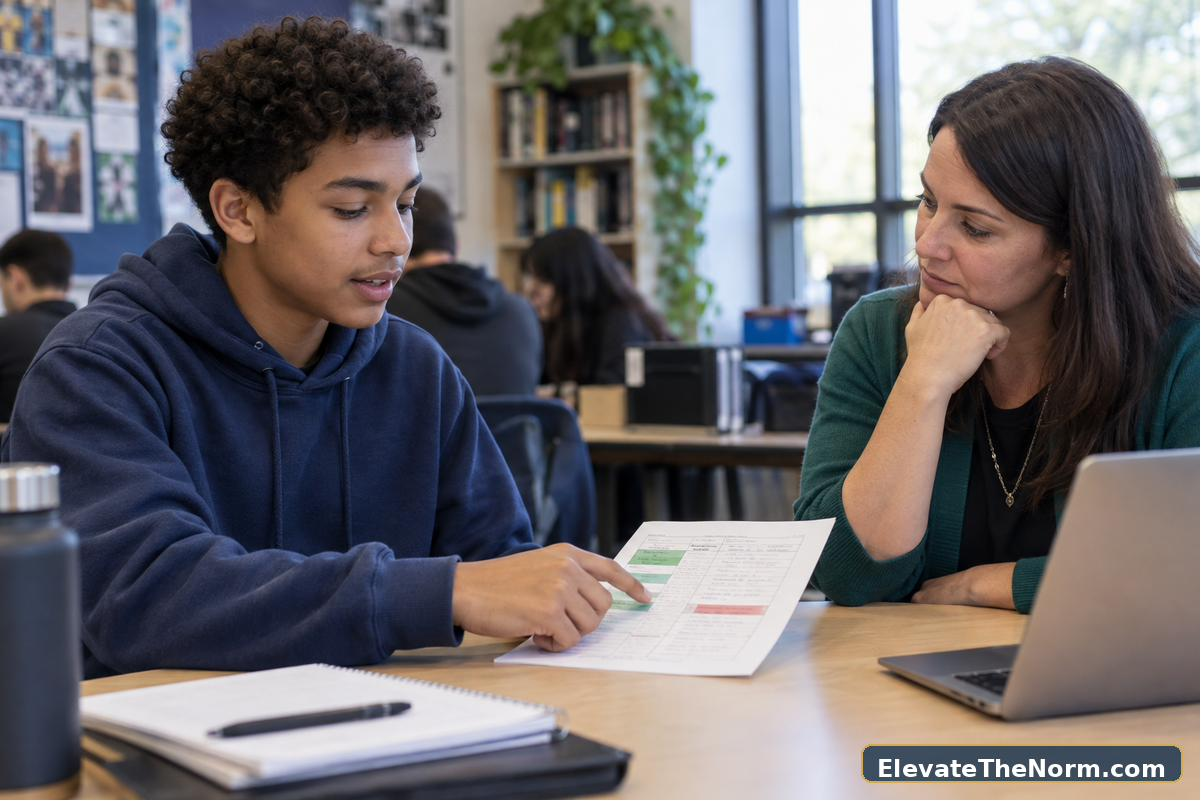
    Teacher and student comparing a project with a four-level standards-based rubric

    Planning Evidence for Complex Standards

    Not every standard can be judged from one assignment. The evidence planner’s two-source structure exists for standards complex enough that a single test or project would misjudge a student who’s inconsistent on one format but solid on another — use it before the unit starts, not after a single assessment already came back low.
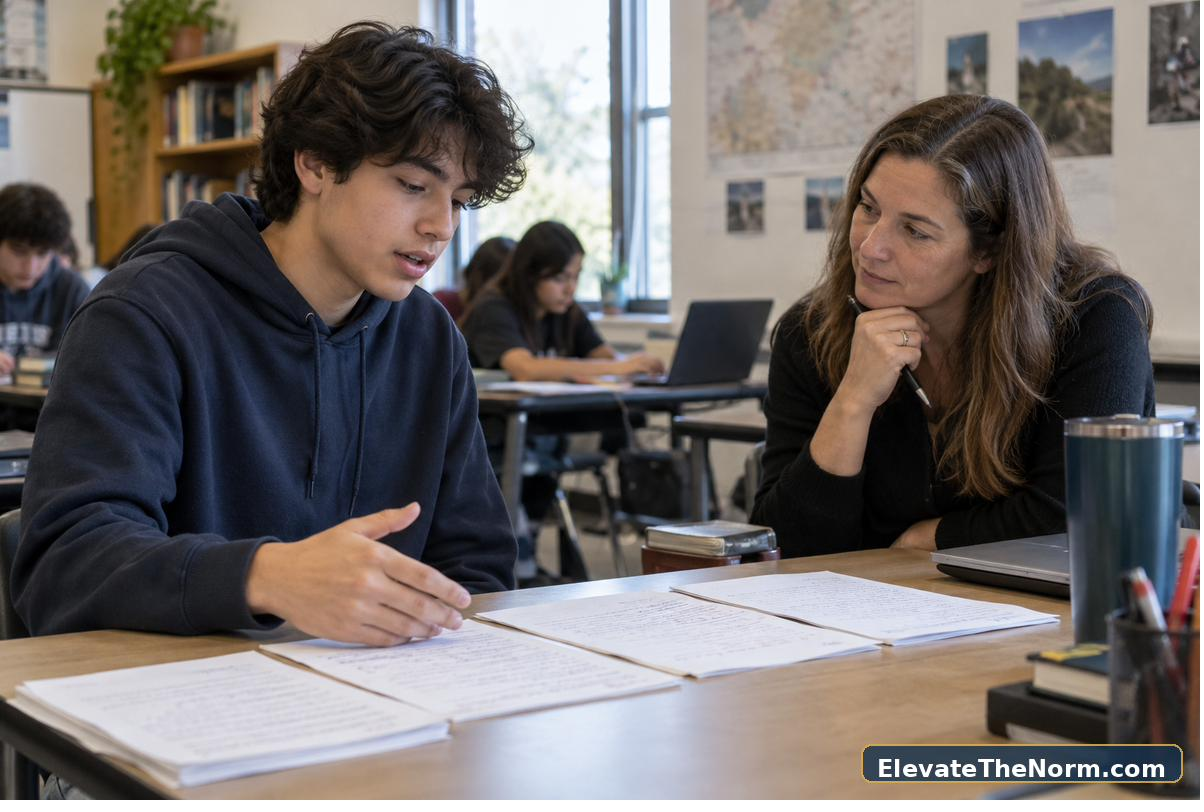

    Student explaining evidence of mastery during a short grading conference
    Teacher organizing standards-based grading evidence in a gradebook workflow

    Cautions Before You Launch This

    This pack is a starter, not a full gradebook overhaul — check your district’s policy on grading scales and required gradebook settings before changing how any grade gets reported. A cleaner scale is not automatically a fairer one; the implementation checklist exists specifically to slow down the parts that go wrong fastest, like unclear reassessment rules.

    For more on the ideas behind this pack, see the site’s guides to checking for understanding, accountability and second chances, and student responsibility in practice.

    Browse every free, no-email classroom download on the Elevate the Norm resource hub.

    Frequently Asked Questions

    Can I use standards-based grading rubrics without district approval to change the gradebook?

    Check first. This pack is designed so you can test the scale and evidence process at the classroom level, but how it translates into a reported grade depends on your district’s policy — the implementation checklist’s first item is confirming that before you launch.

    How is this different from a normal rubric?

    A normal rubric usually scores a single assignment. This scale is standards-based — it describes proficiency on a skill across multiple pieces of evidence, and it’s paired with a specific teacher response at each level rather than only a score.

    What counts as reassessment-ready?

    That’s a decision you make and publish in advance using the implementation checklist — generally it means the student has identified the precise gap and completed new learning or practice before submitting new evidence, not simply retaking the same assessment unchanged.

    Does this work for subjects outside math and science?

    Yes. The scale and evidence planner are subject-neutral — the “standard or skill in student-friendly language” field on the evidence planner is written to work for a writing skill, a historical-thinking skill, or a lab skill equally.

    How do I explain the four levels to families?

    The implementation checklist includes explaining the scale with real student work as a before-launch step — families and students both understand “secure” faster from an example than from the label alone.

    What if a student has no evidence at all for a standard?

    The scale’s “Beginning” level covers evidence that’s missing, inaccurate, or too limited to judge — the teacher response there is to reteach, reduce the task, and collect new evidence, not to record a zero and move on.


    About Clay Shumate

    Clay Shumate is a certified secondary Social Studies teacher in the public schools of West Alabama, now in his seventh year in the classroom, with a B.A. in History and an M.Ed. in Secondary Education. He writes about project-based learning, student responsibility, respect, and practical ways to hold young people to a higher standard while giving them room to learn from mistakes. He is a member of the Society of Professional Journalists and writes to its Code of Ethics; this site’s editorial standards and corrections policy are published in full.


  • Free Student Self-Assessment Forms for Grades 6-12

    Free Student Self-Assessment Forms for Grades 6-12

    By Clay Shumate

    A student self-assessment form is only useful if it requires evidence instead of a confidence guess. This free pack gives secondary students four forms built around that rule: a general self-assessment where every rating needs a specific example, a project and revision reflection focused on decisions rather than whether the project was fun, a group-work accountability form completed individually before the group discusses its process, and a conference-prep form that connects directly to the site’s student-led conference toolkit. If a student can’t point to evidence for a rating, the form asks them to name what evidence would need to exist instead of letting the rating stand alone.

    Free. No email address required. Built for grades 6–12. Print it, adapt it, and use it tomorrow.

    What’s in the Pack

    Four pages, printable on US Letter paper, branded ElevateTheNorm.com on every page.

    • General self-assessment requiring evidence for every rating, plus a next action and deadline
    • Project and revision reflection focused on defensible decisions and what changed from feedback
    • Group-work accountability form covering participation, listening, communication, and responsibility
    • Conference preparation form that feeds directly into a student-led conference

    Requiring Evidence for Every Rating

    The general self-assessment’s core rule — every rating needs an example, and if there’s no evidence yet, the student writes what evidence must be created — is what separates this from a confidence survey. A student who rates themselves “strong” with no example hasn’t actually assessed anything; redirect them back to the evidence field before accepting the rating.

    Secondary student completing a self-assessment form beside finished work

    Individual Accountability Before Group Discussion

    Complete the group-work form individually and collect it before any group conversation about how the project went. Students report participation, listening, and responsibility more honestly when they’re not shaping their answer around what a groupmate is about to say out loud.

    High school students completing individual self-assessments after group work

    A Caution Worth Repeating

    These forms ask students to be honest about barriers and low performance, which means some students will need explicit reassurance that an honest “developing” rating with real evidence is more useful — and safer — than an inflated one. Watch for students filling in ratings without evidence; that’s the exact pattern this pack is designed to interrupt, and it takes modeling to break.

    Student using a self-assessment to lead a progress conference with a teacher

    For more on the ideas behind this pack, see the site’s guides to checking for understanding, practical student engagement strategies, giving students real ownership, and student responsibility in practice.

    Browse every free, no-email classroom download on the Elevate the Norm resource hub.

    Frequently Asked Questions

    What if a student rates themselves highly with no real evidence?

    Send the form back before accepting it. The whole design of this pack is that a rating without evidence isn’t a completed assessment — model the difference with a low-stakes example before students use the forms independently.

    Are these forms graded or just for reflection?

    That’s your call. Many teachers use completion (not accuracy) as the graded component, since grading the content of an honest self-assessment can push students toward inflated ratings.

    How often should students use the general self-assessment?

    Frequently enough that it becomes routine rather than a special event tied to report cards — many teachers use it at natural checkpoints like the end of a unit or project rather than on a fixed weekly schedule.

    Can younger secondary students (6th-7th grade) use this?

    Yes, with more modeling. The evidence requirement is a skill, not an assumption — expect to walk younger students through several examples before they can complete the forms independently.

    Does the group-work form replace a peer evaluation?

    No — it’s self-reported and individual, not a peer rating. It’s meant to surface a student’s honest view of their own participation, which is a different (and complementary) signal to peer feedback.

    How does this connect to standards-based grading?

    The general self-assessment’s evidence-first structure pairs naturally with a standards-based approach — see the site’s standards-based grading rubrics pack for a compatible four-level scale.


    About Clay Shumate

    Clay Shumate is a certified secondary Social Studies teacher in the public schools of West Alabama, now in his seventh year in the classroom, with a B.A. in History and an M.Ed. in Secondary Education. He writes about project-based learning, student responsibility, respect, and practical ways to hold young people to a higher standard while giving them room to learn from mistakes. He is a member of the Society of Professional Journalists and writes to its Code of Ethics; this site’s editorial standards and corrections policy are published in full.

  • Free Parent-Teacher Communication Logs for Secondary Teachers

    Free Parent-Teacher Communication Logs for Secondary Teachers

    By Clay Shumate

    Parent-teacher communication logs matter most when a call or message becomes hard to remember accurately weeks later. This free pack gives secondary teachers four short documents: a family communication plan you fill out once at the start of the year, a positive-contact tracker for recording specific praise instead of vague character labels, a concern-call preparation form that separates observable facts from interpretation, and a follow-up log that closes the loop after a difficult conversation. Every page is built to be factual and brief — not a diary, a record.

    Free. No email address required. Built for grades 6–12. Print it, adapt it, and use it tomorrow.

    If you are still deciding how to reach families in the first place, choosing a parent-teacher communication app you can defend covers the approval question, what these tools do with student data, and which families they quietly fail to reach.

    A log tracks the contact. If you want the family conversation itself to carry more weight, letting the student lead the conference puts the person who did the work in front of the people discussing it.

    What’s in the Pack

    Four pages, printable on US Letter paper, branded ElevateTheNorm.com on every page.

    • Family communication plan covering contact methods, translation needs, and escalation triggers
    • Positive-contact tracker recording date, student, observable action, method, and follow-up
    • Concern-call preparation form separating observable concern from family context and next action
    • Follow-up log for tracking whether an agreed next step actually happened

    Recording Facts, Not Impressions

    The positive-contact tracker and the concern-call prep form both push toward the same discipline: write what was observed, not what you concluded from it. “Missed three assignments in eight days” survives a follow-up conversation. “Doesn’t care about the class” does not — it’s a guess dressed up as a fact, and it’s the kind of note that becomes a liability if a family disputes it later.

    Teacher recording factual notes in a parent communication log

    Bringing Students Into the Conversation

    Where possible, use the concern-call prep form’s “question I need to ask the family” field to invite context rather than announce a verdict — and consider whether the student should be part of the conversation rather than the subject of it. A next step that the student helped agree to tends to hold up better than one that was decided about them.

    Teacher parent and high school student reviewing a shared next-step plan

    A Caution Worth Repeating

    These logs are documentation tools, not legal advice — check your district’s policy on what must be recorded, how long records are kept, and who else needs to be notified for certain kinds of concerns. They also assume you already know your school’s approved contact methods; the plan page has a field for that rather than assuming one.

    Secondary teacher sending a positive family message from the classroom

    For more on the ideas behind this pack, see the site’s guides to why respect has to go both ways, building relationships with students, what actually brings students back to class, and accountability and second chances.

    Browse every free, no-email classroom download on the Elevate the Norm resource hub.

    Frequently Asked Questions

    Are these communication logs legally required documentation?

    That depends on your district and state, not on this pack. Treat these as a strong default structure and check your district’s specific documentation policy for anything involving discipline, safety, or legal concerns.

    How do I handle a family that prefers a different contact method?

    Record it in the family communication plan’s “primary contact methods” field at the start of the year, and note any translation or accessibility needs in the same place so you’re not improvising during a time-sensitive call.

    Should students see what I write in these logs?

    That’s a judgment call based on your school’s policy and the specific situation, but the fact record fields are written to hold up if a student or family asks to see them — because they record observable actions, not private conclusions about the student.

    What if a family doesn’t respond to a concern call?

    Note the attempt and the date in the follow-up log, then use your school’s escalation path — the field for escalation triggers in the family communication plan exists so you’ve already decided what that path is before you need it.

    Is this pack only for concerns, or for good news too?

    Both, deliberately. The positive-contact tracker exists so good news gets the same documentation habit as concerns — most teachers only build a paper trail for problems, which this pack is built to correct.

    Can I adapt this for text or app-based communication platforms?

    Yes. The forms record what was said and when, not the channel — the “method” field on the tracker and the “primary contact methods” field on the plan both work whether you’re calling, emailing, or using a school messaging app.


    About Clay Shumate

    Clay Shumate is a certified secondary Social Studies teacher in the public schools of West Alabama, now in his seventh year in the classroom, with a B.A. in History and an M.Ed. in Secondary Education. He writes about project-based learning, student responsibility, respect, and practical ways to hold young people to a higher standard while giving them room to learn from mistakes. He is a member of the Society of Professional Journalists and writes to its Code of Ethics; this site’s editorial standards and corrections policy are published in full.
  • Free Student-Led Conference Template for Grades 6-12

    Free Student-Led Conference Template for Grades 6-12

    By Clay Shumate

    A student-led conferences template works when it gives the student real control without leaving the room to chance. The complete four-part template is printed on this page below — no email, no signup, nothing to unlock. It is a readiness checklist for the week before, an evidence and portfolio planner that keeps students from collecting everything instead of choosing what proves a pattern, a speaking script built as prompts rather than a memorized speech, and a next-step agreement that turns the conference into a plan instead of a performance. It’s built for grades 6–12 and works whether the audience is a parent, a case manager, or another teacher.

    Free. No email address required. Built for grades 6–12. Print it, adapt it, and use it tomorrow.

    If you are setting this up for the first time, start with the guide to how student-led conferences actually run in grades 6–12 — the four-part script students follow, the four-week run-up, what the evidence does and does not show, and what to do about the families who will not be there.

    Editable Student-Led Conference Template (Word)

    The PDF above is built to print and hand out. This version is built for the student to type in before the conference: the readiness checklist, the evidence planner, the script prompts, and the follow-up agreement are all open fields, plus a 20-minute agenda that is not in the printed pack. It opens in Word, Google Docs, and Pages.

    Free, no email address, no macros. Students who type their evidence notes and next step in advance walk into the conference with something to point at instead of something to remember.

    What’s in the Pack

    Four pages, printable on US Letter paper, branded ElevateTheNorm.com on every page.

    • Conference readiness checklist covering the week before and the day before
    • Evidence and portfolio planner for choosing growth, challenge, and strongest-work pieces
    • Student speaking script structured as opening, evidence, reflection, and next-step prompts
    • Family/teacher follow-up agreement to close the conference with a shared action

    The Full Student-Led Conference Template

    Copy any part of this straight into a doc, or print this page. Nothing below is held back.

    Part 1 — Conference Readiness Checklist

    A student-led conference works only when the student has evidence, practice, and a realistic amount of control.

    One week before

    • ☐ Choose three pieces of evidence: growth, challenge, and strongest work.
    • ☐ Identify one pattern across grades, feedback, or habits.
    • ☐ Draft one strength and one honest next step.
    • ☐ Confirm the audience, time limit, and available technology.

    The day before

    • ☐ Rehearse the opening and transitions.
    • ☐ Check that every claim points to evidence.
    • ☐ Prepare for one likely family question.
    • ☐ Choose the first action to take after the conference.

    Part 2 — Evidence and Portfolio Planner

    Do not collect everything. Choose evidence that helps the student explain a pattern.

    PieceWhat it has to showStudent’s notes
    Evidence 1What it shows about my growth
    Evidence 2A challenge and how I responded
    Evidence 3Work I can defend under questioning
    The patternThe pattern I notice across my work

    Part 3 — Student Conference Script

    Use the prompts as a guide, not a speech to memorize.

    SectionThe student answers
    OpeningWhat I want you to understand about my progress
    EvidenceThe work that best proves it
    ReflectionWhat is still difficult, and why
    Next stepWhat I will do, by when, and what support I need

    Part 4 — Family and Teacher Follow-Up Agreement

    The conference is not finished until somebody writes down what happens next. Keep it to one action.

    The student will
    By this date
    Support needed at home
    Support needed from the teacher
    Student / family / teacher

    Choosing Evidence With the Portfolio Planner

    The planner deliberately limits students to three pieces — one showing growth, one showing how they handled a challenge, and one they can defend under questioning. Students who try to bring everything usually can’t explain any of it clearly. Push back on a fourth or fifth piece; the constraint is what makes the conference sound like the student’s own thinking instead of a stack of paper.

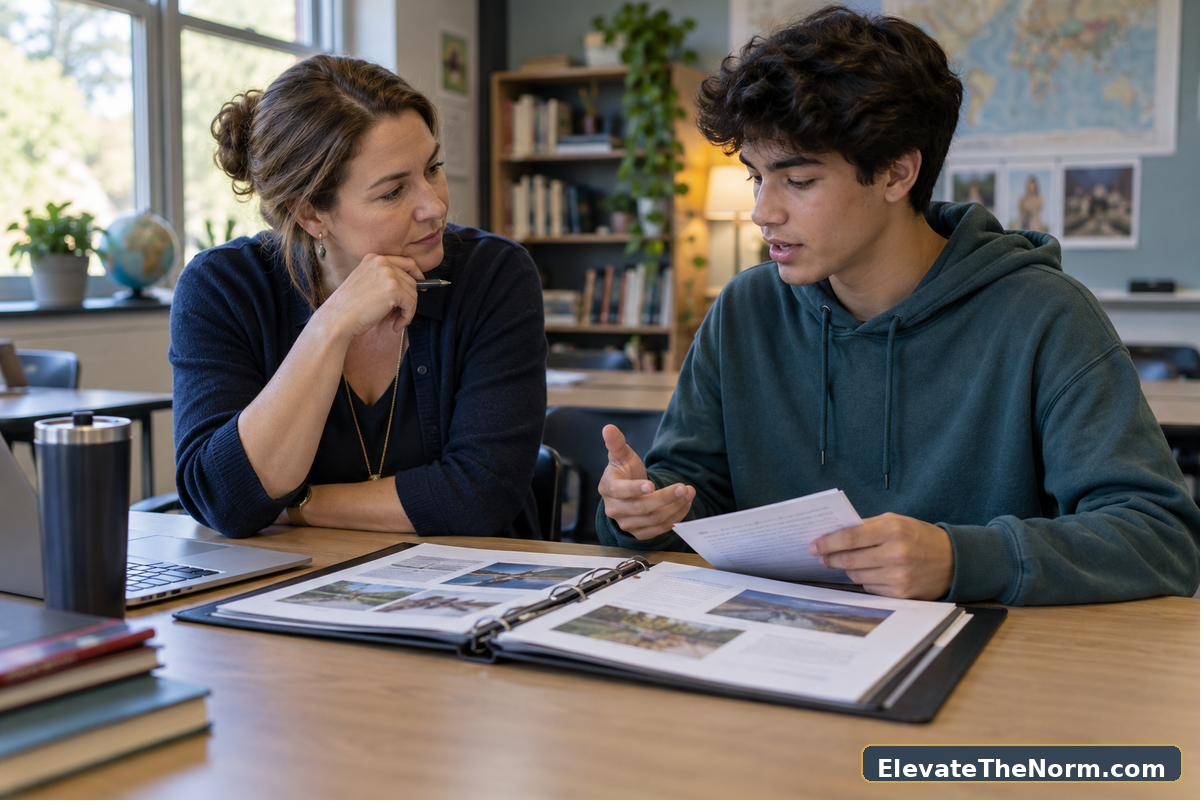
    High school student reviewing portfolio evidence before a student-led conference

    Rehearsing the Conference

    Use the script’s four prompts — opening, evidence, reflection, next step — as a rehearsal checklist, not a transcript to read aloud. The most common rehearsal problem is a student who can state a claim but can’t point to which piece of evidence backs it; if that happens in rehearsal, send them back to the portfolio planner before the actual conference, not during it.

    Teacher coaching a student as they rehearse a student-led conference

    A Caution Worth Repeating

    This system assumes students have had some practice choosing and explaining evidence before their first conference — running it cold in week two of the semester will be rougher than running it after a unit or two of self-assessment. It also isn’t a substitute for standard progress reporting; it’s a structure for the conversation itself.

    Student teacher and parent agreeing on a next step after a student-led conference

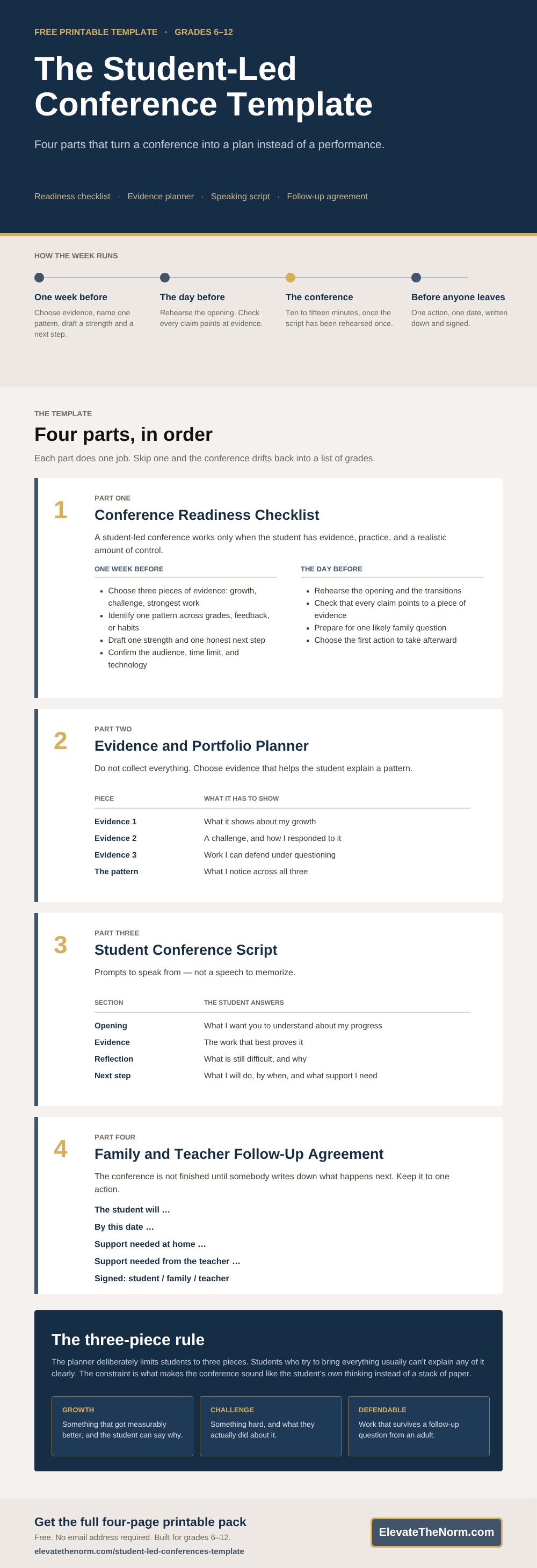
    The Student-Led Conference Template at a Glance

    All four parts on one page — useful for a department meeting, a printed handout, or a reminder the day before conferences.

    Student-led conference template for grades 6-12 showing a readiness checklist, evidence and portfolio planner, student speaking script, and family follow-up agreement
    The four-part student-led conference template: readiness checklist, evidence planner, student script, and follow-up agreement.

    Use This Infographic on Your Site

    Free to republish on a school, district, or teacher blog. Copy the code below — it keeps the credit link intact.

    <a href="https://elevatethenorm.com/student-led-conferences-template/"><img src="https://elevatethenorm.com/wp-content/uploads/2026/09/student-led-conference-template-infographic.png" alt="Student-led conference template for grades 6-12" width="1000" height="2920" style="max-width:100%;height:auto;" /></a>
    <p>Source: <a href="https://elevatethenorm.com/student-led-conferences-template/">Student-Led Conference Template</a> by Clay Shumate, <a href="https://elevatethenorm.com/">Elevate the Norm</a>.</p>

    For more on the ideas behind this pack, see the site’s guides to checking what students actually know, activities that give students real ownership, student autonomy without losing the room, and what student responsibility looks like in practice.

    Browse every free, no-email classroom download on the Elevate the Norm resource hub.

    Frequently Asked Questions

    What age group is this student-led conference template for?

    Grades 6–12. The script and portfolio planner assume students who can explain their own reasoning with some scaffolding, which is realistic starting in middle school.

    How long should a student-led conference actually take?

    This pack doesn’t set a fixed time, but the four-part script — opening, evidence, reflection, next step — comfortably runs in ten to fifteen minutes once students have rehearsed it once.

    Do I have to give an email address to get this template?

    No. The full template is printed on this page and the PDF downloads directly with no form of any kind. Every resource on this site works the same way.

    Do students need a digital portfolio for this to work?

    No. The evidence and portfolio planner works with physical work samples, printed screenshots, or a mix — it’s a decision tool for which three pieces to bring, not a storage system.

    What if a student can’t identify a pattern across their work?

    That’s exactly what the readiness checklist’s “identify one pattern” step is for — give students extra one-on-one time with it before the conference rather than letting them walk in without one; a conference without a stated pattern tends to drift into a list of grades.

    Can this replace a traditional parent-teacher conference?

    It can replace the format for conferences where the goal is student ownership. For conferences focused on a specific concern the teacher needs to raise privately with a family, pair this with the site’s parent-teacher communication log pack instead.

    Is there a version for students with an IEP or 504 plan?

    The toolkit doesn’t include a modified version, but the script’s open-ended prompts adapt well with additional scaffolding, sentence starters, or a co-presenting support person — adjust based on what’s already in the student’s plan.

    How far in advance should I introduce this to students?

    At least one week, using the readiness checklist as written. Students who see the checklist the day before the conference don’t have time to build real evidence or rehearse.


    About Clay Shumate

    Clay Shumate is a certified secondary Social Studies teacher in the public schools of West Alabama, now in his seventh year in the classroom, with a B.A. in History and an M.Ed. in Secondary Education. He writes about project-based learning, student responsibility, respect, and practical ways to hold young people to a higher standard while giving them room to learn from mistakes. He is a member of the Society of Professional Journalists and writes to its Code of Ethics; this site’s editorial standards and corrections policy are published in full.

  • Free Classroom Seating Chart Template for Grades 6-12

    Free Classroom Seating Chart Template for Grades 6-12

    By Clay Shumate

    A classroom seating chart template only earns its place if it does more than assign desks. All three blank layouts, the placement matrix, and the observation log are printed on this page below — no email, no signup, nothing to unlock. The three layouts — pairs/rows, small groups, and a discussion horseshoe — use the same student numbers, so you can compare access, movement, and focus without redrawing names every time you reseat. The placement decision matrix forces the real variables (board access, peer dynamics, mobility, distraction) instead of a single label like “behavior,” and the two-week observation log makes reseating a decision from a pattern, not one bad Tuesday.

    If you want the thinking behind the template rather than the template itself, the guide to what the research supports about classroom seating charts covers which layout suits which kind of work, what a secondary chart has to account for, and how to change one without singling anybody out.

    Free. No email address required. Built for grades 6–12. Print it, adapt it, and use it tomorrow.

    Editable Classroom Seating Chart Template (Word and Excel)

    The PDF above is built to print. These two are built to type in. Same three layouts, same placement matrix, same observation log — every seat and every cell is an open field, so you can put real student names in and rearrange them without redrawing anything. They open in Word, Google Docs, Pages, Excel, and Google Sheets.

    Both files are free, require no email address, and carry no macros. Use the Word version if you want one printable page per layout; use the Excel version if you want a tab per layout and the ability to sort a roster into seats.

    What’s in the Pack

    • Three blank layouts (pairs/rows, small groups, discussion horseshoe) sharing one student-numbering system
    • A placement decision matrix covering board access, teacher check-in, peer support, distraction, mobility/safety, and discussion access
    • A two-week seating observation log with date, evidence, location factor, and a keep/adjust column

    The Three Blank Seating Chart Layouts

    Print this page, or copy a layout into a doc. Use the same student numbers across all three — that is the whole point. Number your roster once, and moving a student between layouts stops being a rewrite. Adjust the seat count to your actual room; these are starting shapes, not a fixed room plan.

    Layout 1 — Pairs and Rows

    Fast redirection, stable routine. Best for new classes, testing days, and units where independent focus matters more than group talk. The centre column is the aisle you walk.

    FRONT OF ROOM — BOARD
    1234
    5678
    9101112
    13141516
    17181920
    21222324
    Pairs and rows, 24 seats. The arrow column is the aisle.

    Layout 2 — Small Groups

    Six groups of four, same twenty-four numbers. Because the numbering carries over, moving a pair out of the rows layout into a group is a two-second change on paper instead of a redraw.

    FRONT OF ROOM — BOARD
    Group A
    1   2
    3   4
    Group B
    5   6
    7   8
    Group C
    9   10
    11   12
    Group D
    13   14
    15   16
    Group E
    17   18
    19   20
    Group F
    21   22
    23   24
    Six groups of four, 24 seats, same numbering as Layout 1.

    Layout 3 — Discussion Horseshoe

    Socratic seminars, debate units, any day students need to see and answer each other rather than the board. The open end faces the board. For a larger class, add a second row of seats just inside the U rather than stretching the arms further back — students at the far end of a long arm stop hearing the other end.

    FRONT OF ROOM — BOARD (open end)
    115
    214
    313
    412
    567891011
    Discussion horseshoe, 15 seats. Empty cells are open floor.

    The Placement Decision Matrix

    Do not seat by one label such as behavior. Balance access, instruction, mobility, vision, hearing, peer dynamics, and student dignity. Fill a row only when you have actual evidence for it — a blank middle column means you are guessing.

    NeedCurrent evidencePlacement response
    Board / instruction access
    Teacher check-in
    Peer support
    Reduced distraction
    Mobility / safety
    Discussion access
    Independent focus

    Two-Week Seating Observation Log

    Change seats from patterns, not from one difficult moment. Two weeks is long enough to tell a seating problem apart from a bad week.

    DateEvidence noticedLocation factorKeep / adjust

    Using the Paired-Seating Layout

    The pairs/rows layout works best when you need fast redirection and a stable routine — new classes, testing days, or units where independent focus matters more than group talk. Because every layout in the pack uses the same student numbers, you can move a pair from the pairs layout straight into the small-group layout without renumbering, which is what makes reseating for a new unit a five-minute task instead of a fifteen-minute one.

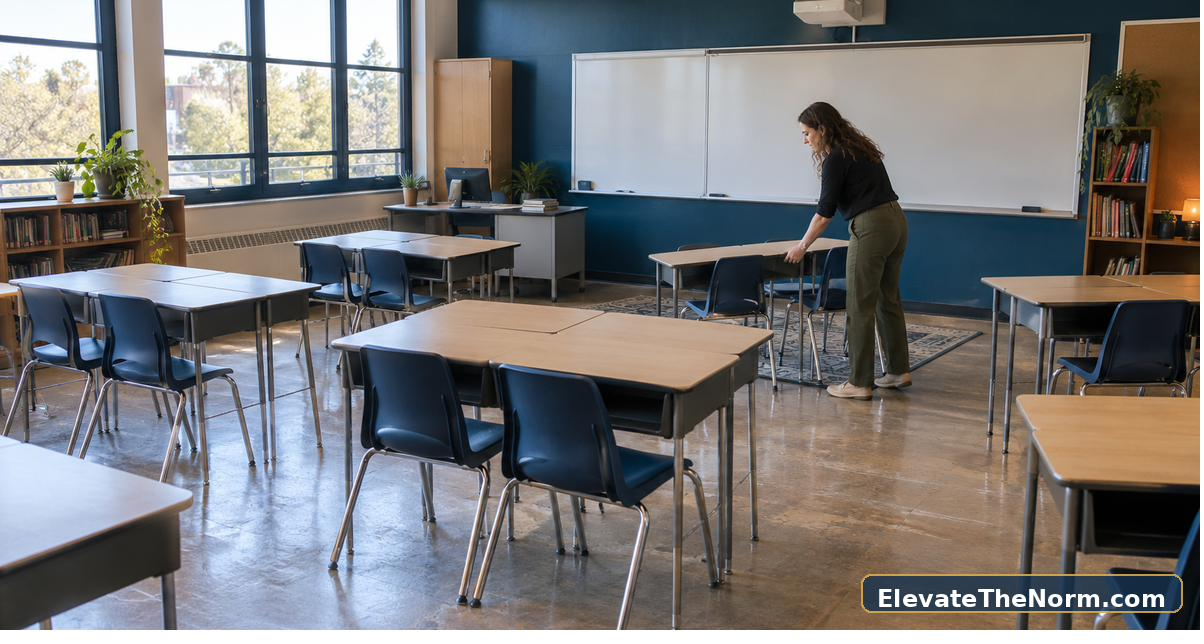
    High school students working in thoughtfully arranged desk pairs

    Using the Discussion Horseshoe

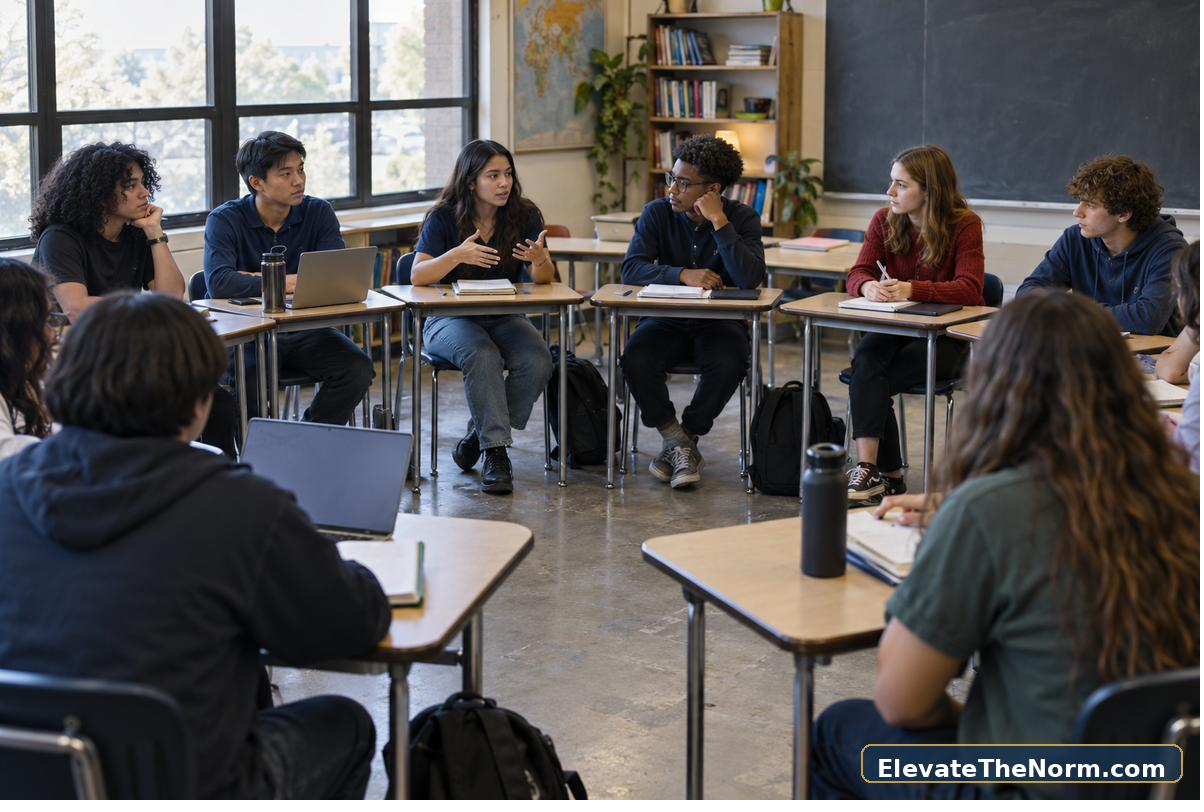
    Switch to the horseshoe layout for Socratic seminars, debate units, or any day where students need to see and respond to each other rather than the board. The placement matrix’s “discussion access” row is built for exactly this layout — use it to check that a student who struggles to project their voice or read social cues isn’t seated where the format works against them.

    Secondary students participating in a horseshoe classroom discussion

    A Caution Worth Repeating

    These are blank planning tools, not a seating algorithm — they will not generate a chart for you. They also assume you already know your room’s furniture and sightlines; adapt the three base layouts to your actual room shape before handing them out.

    High school students working in a small-group classroom seating arrangement

    For more on the ideas behind this pack, see the site’s guides to a practical classroom-expectations framework, classroom management fundamentals, consequences that teach instead of humiliate, and giving students real ownership without losing the room.

    Browse every free, no-email classroom download on the Elevate the Norm resource hub.

    Frequently Asked Questions

    Is this seating chart template editable as a fillable PDF?

    No. It’s a printable planning pack, and the editable Word and Excel versions above are fully typeable — print the layouts and matrix and fill them in by hand, or download the editable Word or Excel file above and type student names straight into the seats.

    Do I have to give an email address to get this seating chart template?

    No. All three layouts, the placement matrix and the observation log are printed on this page, and the PDF downloads directly with no form of any kind.

    How often should I actually change a seating chart?

    Change it from a pattern in the two-week observation log, not from a single hard class. If the log shows a consistent conflict — a sightline problem, a peer pairing that keeps breaking down — that’s a real signal. One bad Tuesday usually isn’t.

    Does this account for IEP or 504 seating requirements?

    The placement matrix’s mobility, vision, and hearing rows are built to surface those needs, but this pack does not replace your students’ actual IEP or 504 documentation. Cross-check against the plan itself, not just the matrix.

    Can I use this for a co-taught or shared classroom?

    Yes — the shared student-numbering system across all three layouts is useful here specifically because two teachers can compare notes on the same chart without needing to redraw it for each class period.

    What grade levels is this built for?

    Grades 6–12. The language in the matrix and log assumes secondary students who can self-report some of their own needs, not an elementary classroom.

    Do I need special software to use the layouts?

    No. Print them, or copy the tables on this page. If you want a digital version, most schools already have a seating-chart tool that can use this pack’s matrix and log as the decision process behind whatever chart you build in it.


    About Clay Shumate

    Clay Shumate is a certified secondary Social Studies teacher in the public schools of West Alabama, now in his seventh year in the classroom, with a B.A. in History and an M.Ed. in Secondary Education. He writes about project-based learning, student responsibility, respect, and practical ways to hold young people to a higher standard while giving them room to learn from mistakes. He is a member of the Society of Professional Journalists and writes to its Code of Ethics; this site’s editorial standards and corrections policy are published in full.

Teacher Emergency Toolkit — practical resources, real classroom support. Shop on TPT.Teacher Emergency Toolkit — practical resources, real classroom support. Shop on TPT.